MuchSearchGuides & playbooks
How to Search Google, ChatGPT, and Perplexity at Once (Free Tool, 2027)
Stop retyping the same query into three tabs. Here is the fastest free way to run one search across Google, Bing, ChatGPT and Perplexity at the same time — and how to compare what comes back.
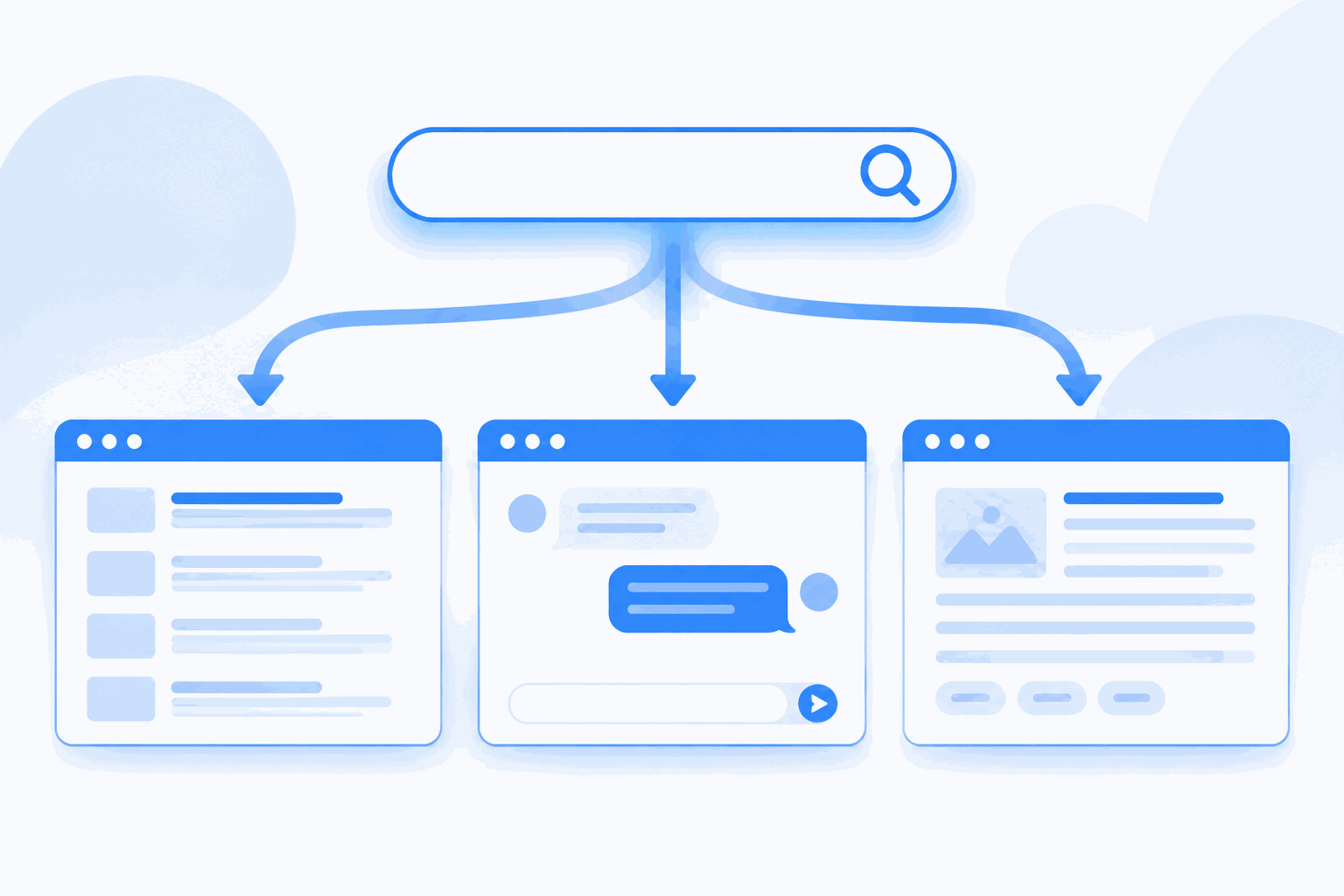
You have one question and three places to ask it: Google for the links, ChatGPT for the explanation, Perplexity for an answer with citations. The usual routine is type, copy, switch tab, paste, switch back. Do that five times a day and you have lost an hour a week to keyboard shortcuts.
The fix is not a new search engine. It is a single page that holds every search box you already trust, and a way to fire the same query into several of them without retyping. That is what a multi-search aggregator does — and it takes about ten seconds to learn.
Why one engine is never enough in 2027
Search stopped being one problem. Google answers “where can I find this page”. ChatGPT answers “explain this to me”. Perplexity answers “what is the current state of this, with sources”. Amazon answers “what can I buy”. None of them is a superset of the others, and their blind spots are different:
- Google misses pages that are new, poorly linked, or buried behind its own answer boxes.
- ChatGPT can be confidently wrong; it is strong at synthesis, weak at “show me the exact source”.
- Perplexity cites sources, but its index is smaller and its summaries can flatten nuance.
- Bing sometimes surfaces a page Google has not indexed yet — useful for fresh content and non-English sources.
Running two or three of them on the same query is not redundancy. It is triangulation.

Step by step: one query, several engines
- Open the search cards. Go to MuchSearch and scroll to the card grid. Every card is a real search box for one site — Google, Bing, DuckDuckGo, ChatGPT, Perplexity, Claude, Copilot, YouTube, Reddit and so on.
- Type once. Enter your query in any card. All the other cards on the page fill in automatically, so you never retype. (This is plain HTML plus a tiny script — it works even with JavaScript disabled, because each card is its own GET form.)
- Fire the engines you actually need. Press Go on Google, then on Perplexity, then on ChatGPT. Each opens in a new tab with your keywords already submitted or pre-filled.
- Read in a fixed order. Google first for raw sources, Perplexity second for a cited overview, ChatGPT third for the explanation you would give a colleague. Reading in the same order every time makes differences obvious.
- Keep the winner, close the rest. Copy the one link or paragraph that survives all three. That is your answer; the other tabs were the audit trail.
Which engine should you open first?
| Your question looks like… | Start with | Then verify with |
|---|---|---|
| “Where is the official page / download / docs?” | Bing (fresh pages), the site itself | |
| “Explain how this works” | ChatGPT | MDN, official docs, Stack Overflow |
| “What is the latest state of this topic?” | Perplexity | Reuters / AP / the cited primary source |
| “What do real users think?” | YouTube long-form reviews | |
| “Which one should I buy?” | Amazon + Google Shopping | eBay (used prices), brand forums |
| “Is this claim true?” | Google News + Reuters | Primary document, then Perplexity for context |
A real example: picking a CRM for a five-person team
Say you need a CRM and you have thirty minutes. Here is how the multi-tab pattern actually plays out.
Google gives you the vendor pages plus a wall of affiliate “best CRM 2027” listicles. Skim the titles: if the same five brands appear in every list, those are the paid positions, not the shortlist.
Perplexity with the query “CRM for 5-person agency, needs email sync and simple pipeline, budget under $50/month” returns a compact comparison with links. This is where you learn the categories — per-seat vs flat, pipeline-first vs inbox-first — that Google never told you.
ChatGPT is where you argue with yourself: “We already use Gmail and Notion. Which CRM causes the least migration pain?” It will list trade-offs and, importantly, tell you when the honest answer is “don’t buy a CRM yet, use a shared inbox”.
Reddit is the tie-breaker. Search the two finalists plus the word “migrating”. Two threads of complaints will save you a three-month mistake.
Four tabs, one typed query, twenty minutes. The alternative — four separate searches with four different phrasings — produces four incomparable answer sets, which is how people end up buying the top Google ad.
Four habits that make the comparison honest
1. Keep the query identical across engines. The moment you start “translating” your question for each engine, you are no longer comparing engines — you are comparing your own prompts.
2. Write queries for the engine, not for Google. Google rewards keywords: crm small agency pricing. AI engines reward full sentences with constraints: “compare CRM tools for a 5-person agency under $50/month with Gmail sync”. Use a sentence in the AI card and a keyword string in the Google card — the sync feature fills both, so edit the AI one afterwards if needed.
3. Date-stamp AI answers. Models have training cutoffs. If the question involves prices, laws, versions or “latest”, demand a citation and open it.
4. Never trust a single citation chain. Two AI engines quoting the same blog post is one source, not two. Follow the link to the primary document.
Rule of thumb: use AI to find the shape of the answer, and traditional search to find the evidence.
What a fair comparison actually looks like
Most “I compared the engines” experiments are invalid, and the reason is almost always one of three things: different queries, different times, or different reading depth. A fair comparison holds two of those fixed.
Fixed query, fixed time window, same depth. Type the exact same string into all three cards within the same minute — news results and AI answers both drift within hours, so a comparison across a morning is worthless. Then read the same amount of each: the first three Google results, the full Perplexity answer, and the full ChatGPT reply. Skipping the third Google result is how people conclude “AI is better” when they only read the AI.
Score three things, not one. Write them down or it becomes a feeling:
- Coverage — did the answer mention the option you already knew about? If it misses a known-good choice, its unknown-good choices are suspect.
- Grounding — can you open a link that supports the central claim, and does that link actually contain the claim?
- Actionability — after reading, do you know the next step? A beautifully written answer that leaves you with no next action lost.
Two of three is a win for most working questions. Three of three is rare and usually means the question was easy.
The hidden cost of tab sprawl
There is a failure mode on the other side of this workflow: opening nine tabs, reading none of them, and calling it research. The aggregator makes launching cheap, which makes over-launching easy. Two rules keep it under control.
Decide the number of engines before you type. For a routine lookup it is one. For a decision it is three. For an investigation with consequences — medical, legal, financial — it is three plus a primary document. Nine tabs is not thoroughness; it is avoidance.
Close as you go. After each tab gives you its verdict, copy the one line you need into a note and close it. Tabs left open become a background tax on attention, and the browser will happily keep all of them for a week.
Where to go next
If you want the conceptual background, read what a multi-search aggregator is. If your question is “when should I trust AI over an index at all”, the answer is in AI search vs traditional search. And if you are comparing tools rather than engines, the 2027 multi-search tool comparison covers the alternatives.
For everything else, the pattern stays the same: type once, open two or three, keep the one that survives.
Frequently asked questions
Can I really search Google and ChatGPT with the same query at the same time?
Yes. MuchSearch sends your keywords to Google, Bing, ChatGPT, Perplexity and a hundred other sites as URL parameters, so one typed query can open several tabs at once. No extension or account is needed.
Is searching multiple sites at once free?
MuchSearch is free and requires no sign-up. Some destination engines (ChatGPT, Claude, Perplexity) may ask you to log in to your own account before answering — that is between you and them.
Which is better, Google or an AI answer engine?
They fail differently. Google is better for finding a specific page, product or local result; Perplexity and ChatGPT are better for summarizing and comparing. Run both when the answer matters.
Does MuchSearch see my keywords?
Keywords pass through /go.php, which validates the destination and sanitizes the text before a 302 redirect. Nothing is stored except an anonymous keyword counter used for popular-search statistics.